From product to fiscal receipt
Select the products, check the total, and take payment. MicroPOS communicates directly with compatible fiscal devices.
From product setup to receipt issuance and report review. Discover what you can do with MicroPOS.
Select the products, check the total, and take payment. MicroPOS communicates directly with compatible fiscal devices.
Categories, import from Excel, SGR packaging items, and variants with attribute templates.
Receipt history and sales reports by products, categories, and attributes, all within the same application.
Cash, card, and meal vouchers, depending on the equipment and the configured payment solution. Viva Wallet integration in compatible configurations.
The sales process can operate without an internet connection in supported configurations. External services and online integrations may require a connection.
Use MicroPOS on the platform that's right for your business. Confirm with the team the equipment and connections available for each system.
Import products using the Excel template in the app, or add them manually. Configure the categories, price, VAT, and unit of measure.
Attribute templates allow for mandatory or optional options, with single or multiple selection and price surcharges. SGR packaging items are linked to the relevant products.
See the setup steps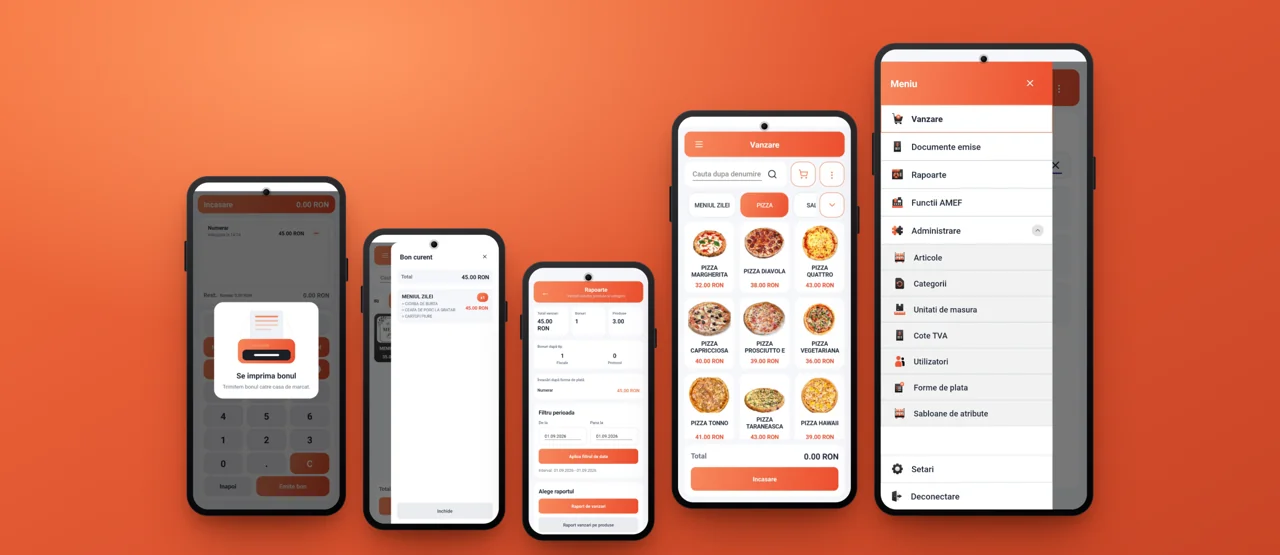
Analyze sales by products, categories, and attributes.
Access fiscal operations, including cash deposits and withdrawals, in compatible configurations.
Review the documents issued and reprint receipts in supported configurations.
Tell us what device and what cash register you use.