Choose the complete setup
A working point of sale requires more than a device on which the app can be installed. Check the device, operating system, fiscal equipment and the connection between them as a complete setup.
If you already have a cash register, start with its exact model. This detail helps the team confirm suitable options before you invest in other equipment.
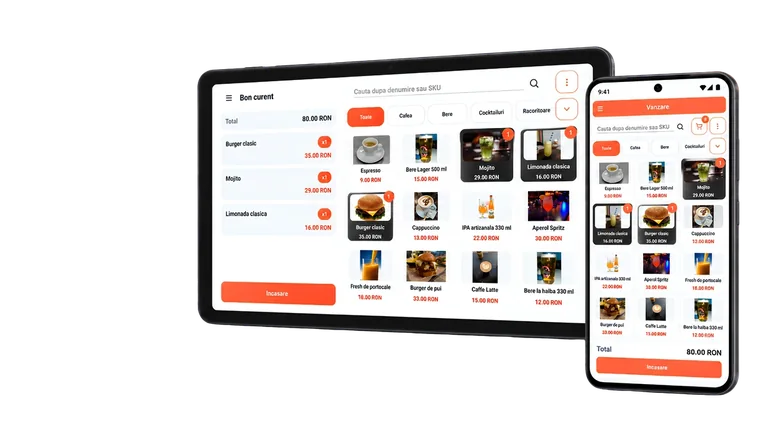
Android phone or tablet
A phone may be suitable when mobility matters. A tablet provides more space to display products and may be more convenient at a fixed point of sale.
On Android, available connections may include LAN / Wi-Fi, Bluetooth or Serial / USB, depending on the setup. The presence of an option in the app does not guarantee that every fiscal device supports it.
Windows computer
For a fixed workstation, you can consider a Windows computer. Check the workspace, the operator's access to the screen and the placement of the fiscal device.
The Windows documentation covers LAN / Wi-Fi and Serial / USB connections. The fiscal device model, interface and required accessories must be confirmed for the specific setup.
All-in-One fiscal device
A compatible All-in-One combines the Android platform, POS interface and fiscal component in a single device. This setup can take up less space and does not require a separate external cash register when the fiscal module is integrated and properly configured.
The MicroPOS equipment list presents the available options. Check the exact model and setup, including how card payments are accepted, before ordering.
Distinguish the app from payment services
Selecting card payment in the app and actually processing the transaction are separate steps. Viva Wallet integration is available in compatible setups; do not assume that any Android device can directly accept card payments.
For standard use, MicroPOS has integrated fiscal communication and does not require a separate FiscalNET driver to be configured.
Send the details before purchasing
Prepare the device model, operating system version, fiscal device model and desired connection method. Also state whether you will work at a counter or on the move.
Ask for confirmation of the complete setup and check the costs of hardware, the subscription and any payment services separately. The app subscription does not include hardware.
See how it fits your business.
Download MicroPOS and work through the sales process on your device.
Try it free for 14 days