Two needs worth distinguishing
When choosing software for a shop, the term POS is sometimes used for different needs. One retailer may want quick product selection and receipt issuance, while another may also need goods receipts, inventory or broader operational processes.
Before comparing apps, describe the activities you want to cover. A list of specific operations is more useful than a long list of features with general names.
What MicroPOS covers
MicroPOS is designed for sales, organizing the product catalog and fiscal communication. You can configure products and categories, select the items being sold, choose the payment method and issue the receipt through compatible equipment.
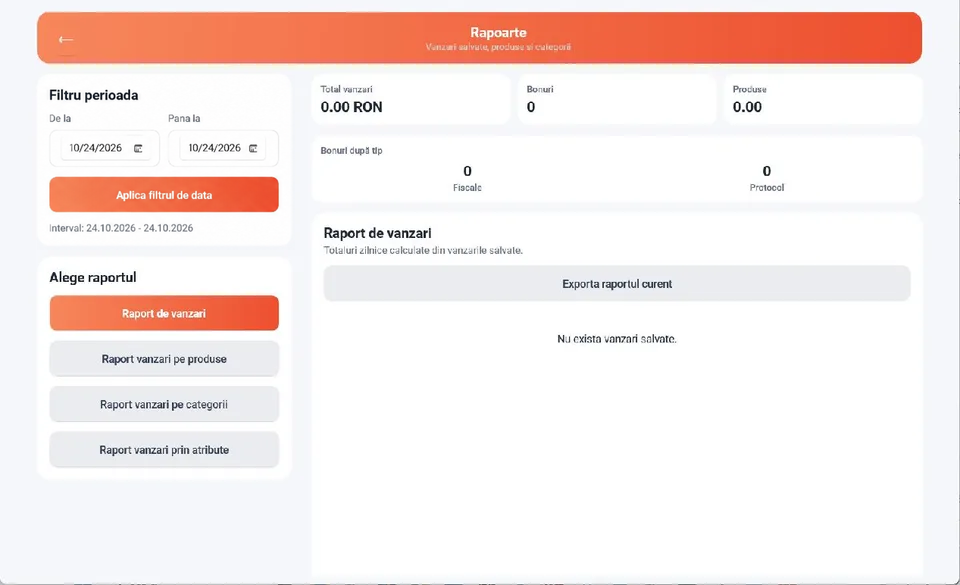
The app also provides receipt history, sales reports by product, category and attribute, and fiscal operations in supported setups. This information helps you monitor sales activity.
A product catalog is not inventory management
The product list defines which items you sell, their names, prices and attributes. Inventory management also tracks goods movements: incoming stock, outgoing stock, transfers and stocktaking.
If you need full inventory management, do not assume that a catalog or sales report automatically covers these processes. MicroPOS should be evaluated for its role as a sales app.
When to consider a broader solution
If your business requires goods receipts, stock control, recipe management or complex workflows, discuss these requirements separately with the provider. In the EconMedia portfolio, MicroERP is the solution to consider for broader needs.
Choose based on the operations you need and the confirmed setup. Do not assume that an integration or feature is included without checking it for the proposed solution.
A simple exercise before choosing
Write down five operations your business requires and ask for a demonstration of each. For example: adding products, taking card payments, issuing receipts, viewing sales and checking an inventory process you need.
If your priority is a clear sales and payment process, try MicroPOS. If your list includes broader processes, share them with the team from the outset to choose the right solution.
See how it fits your business.
Download MicroPOS and work through the sales process on your device.
Try it free for 14 days